 Ruidy
2ef9db274e
Ruidy
2ef9db274e
Include a note stating that an additional fee of 15€ per day per extra person will be applied. This change clarifies billing details for users. |
||
|---|---|---|
| .github/workflows | ||
| assets | ||
| cmd/cron | ||
| docs | ||
| internal | ||
| pkg | ||
| scripts | ||
| .air.toml | ||
| .gitignore | ||
| Dockerfile | ||
| Dockerfile.dev | ||
| go.mod | ||
| go.sum | ||
| justfile | ||
| main.go | ||
| README.md | ||
Rentease

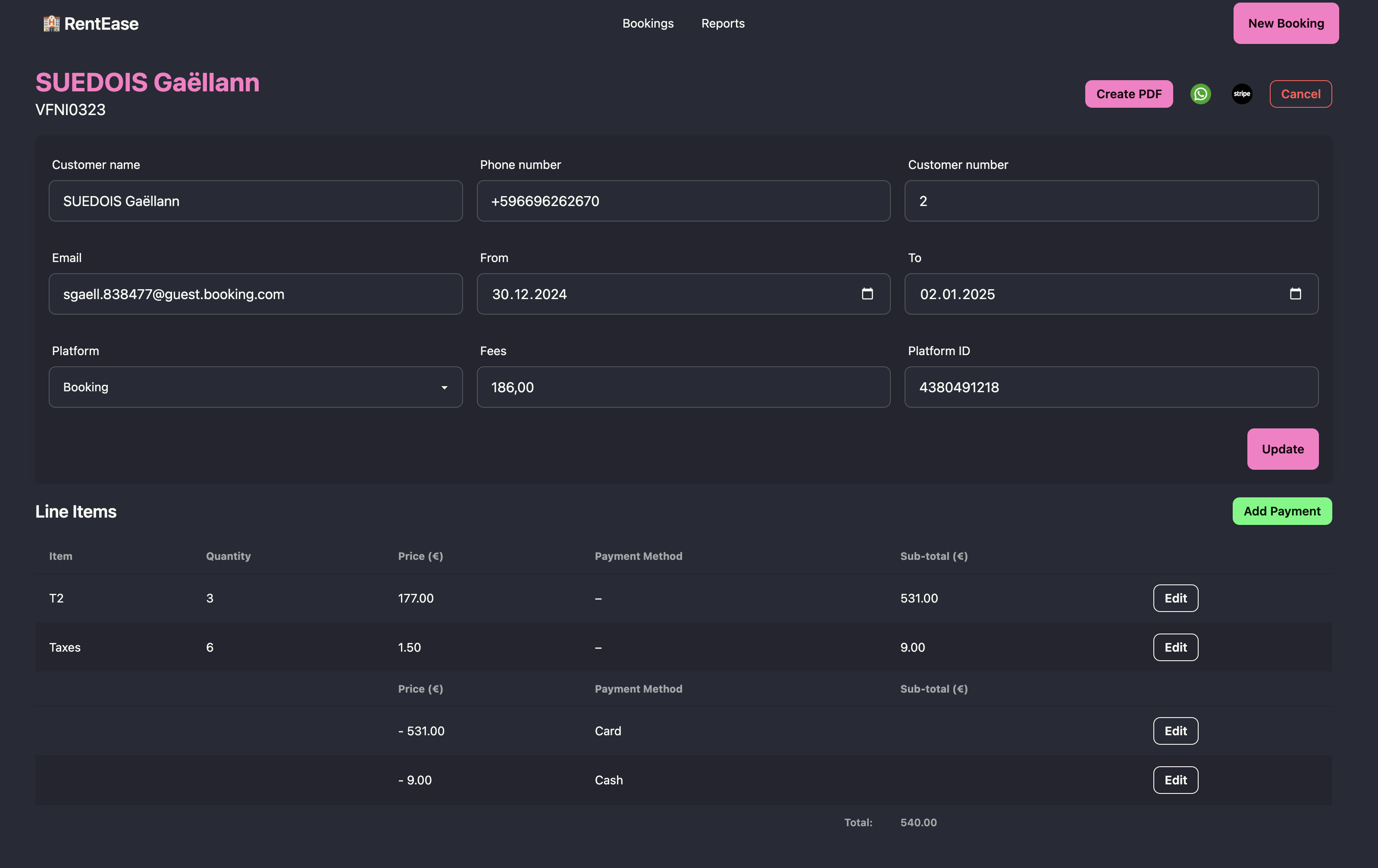
Rentease is a property-management application to help landlords to manage your rental properties efficiently. With Rentease, you can create invoices, generate activity reports, and sync all the booking platforms you use.
Features
- Invoice Management: Create and manage invoices for your rental properties with ease.
- Activity Reports: Generate detailed reports of rental activities to keep track of your property performance.
- Platform Sync: Sync bookings across multiple platforms to streamline your rental management.
Getting Started
To get started with Rentease, follow these steps.
Prerequisites
You need a version of the Go programming language installed. You can either install it via your package manager or via Go's official website. You also need a PostgreSQL database. You can install it locally using Homebrew or use a cloud alternative such as Railway, fly.io, etc.
Installation
-
Clone the repository
git clone https://github.com/rjNemo/rentease.git cd rentease -
Install the dependencies
go mod download -
Setup PostgreSQL: Ensure you have PostgreSQL installed and running. Create a database for Rentease:
createdb rentease -
Configure the application: Create a
.envfile in the project root with the following environment variables:DB_HOST=localhost DB_PORT=5432 DB_USER=your_db_username DB_PASSWORD=your_db_password DB_NAME=rentease -
Start the application
make dev -
Access the application: Open your browser and go to
http://localhost:8000to start using Rentease.
Built With
Rentease is built using the following technologies:
- Go: The core application logic is written in Go, providing a robust and efficient backend.
- Htmx: For handling AJAX requests and enhancing the user interface with minimal JavaScript.
- Templ: Used for templating and rendering dynamic HTML content.
- Gorm: An ORM library for Go, used for database interactions.
- PostgreSQL:The database used to store all application data.
Roadmap
See the open issues for a full list of proposed features (and known issues).
Contributing
Contributions are what make the open source community such an amazing place to learn, inspire, and create. Any contributions you make are greatly appreciated.
If you have a suggestion that would make this better, please fork the repo and create a pull request. You can also simply open an issue with the tag "enhancement".
Don't forget to give the project a star! Thanks again!
- Fork the Project
- Create your Feature Branch (
git checkout -b feature/AmazingFeature) - Commit your Changes (
git commit -m 'Add some AmazingFeature') - Push to the Branch (
git push origin feature/AmazingFeature) - Open a Pull Request
License
Distributed under the MIT License. See LICENSE.md for more information.